Building Pinecone: The Android EPUB Reader I Kept Wishing Existed
Overview
Pinecone is a modern, standards-compliant Android EPUB reader built to deliver an uncompromised reading experience. Combining Google's latest Material 3 Expressive design language with the powerful Readium rendering engine, Pinecone offers fluid typography, dynamic color theming, and comprehensive library management.
Powered by Readium for a standard-compliant, robust, and smooth reading experience.
Designed according to the latest Material 3 Expressive design guidelines for a beautiful and modern interface.
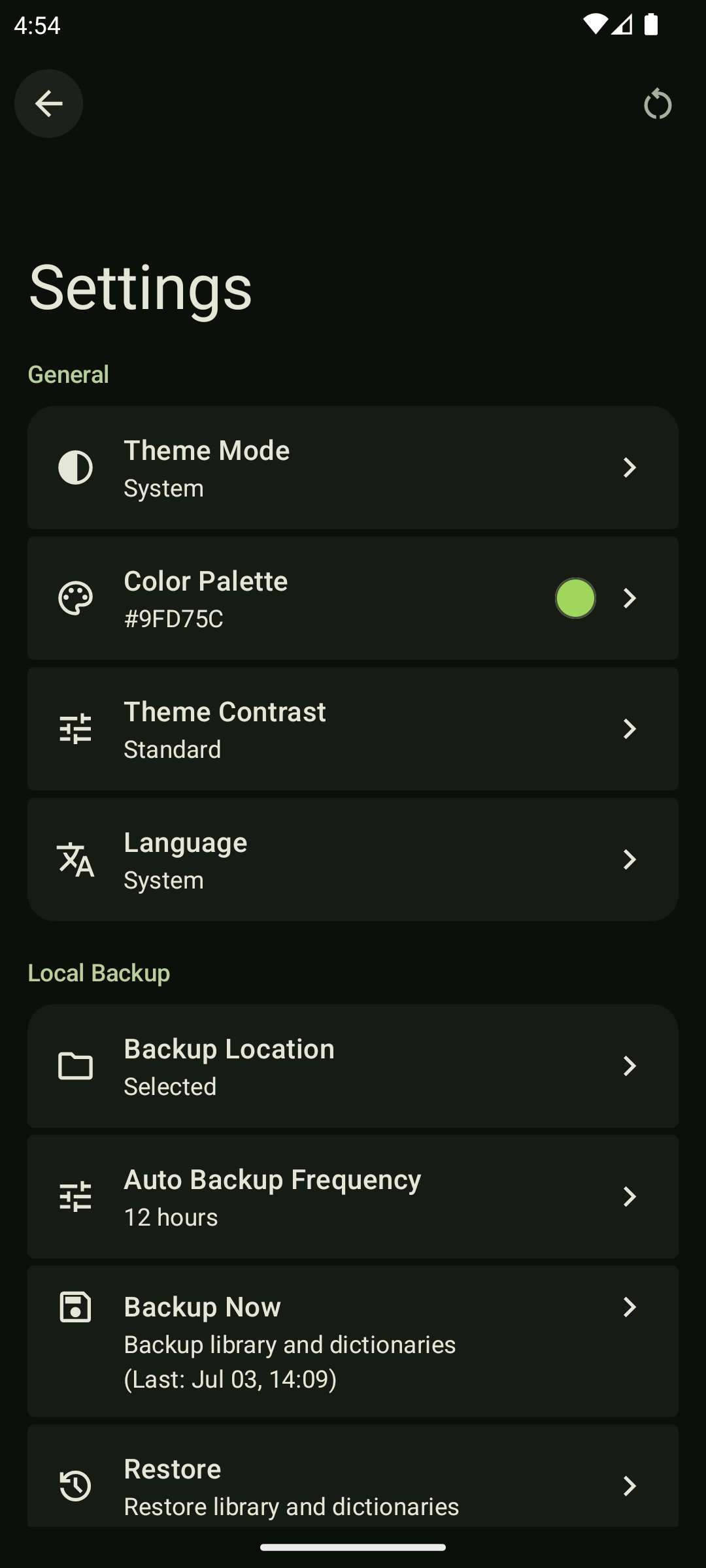
Enjoy deep personalization with Material You dynamic colors, curated color palettes, and adjustable contrast levels.
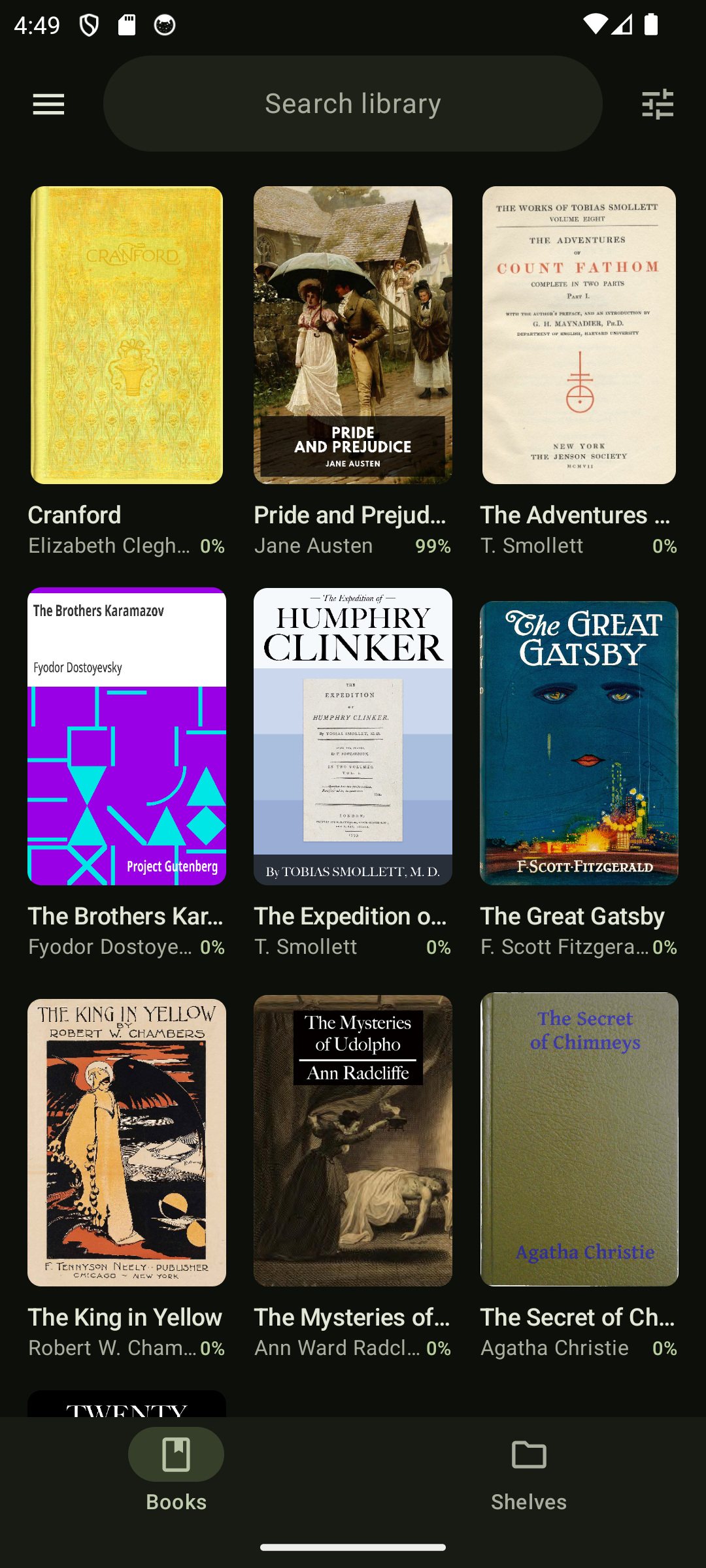
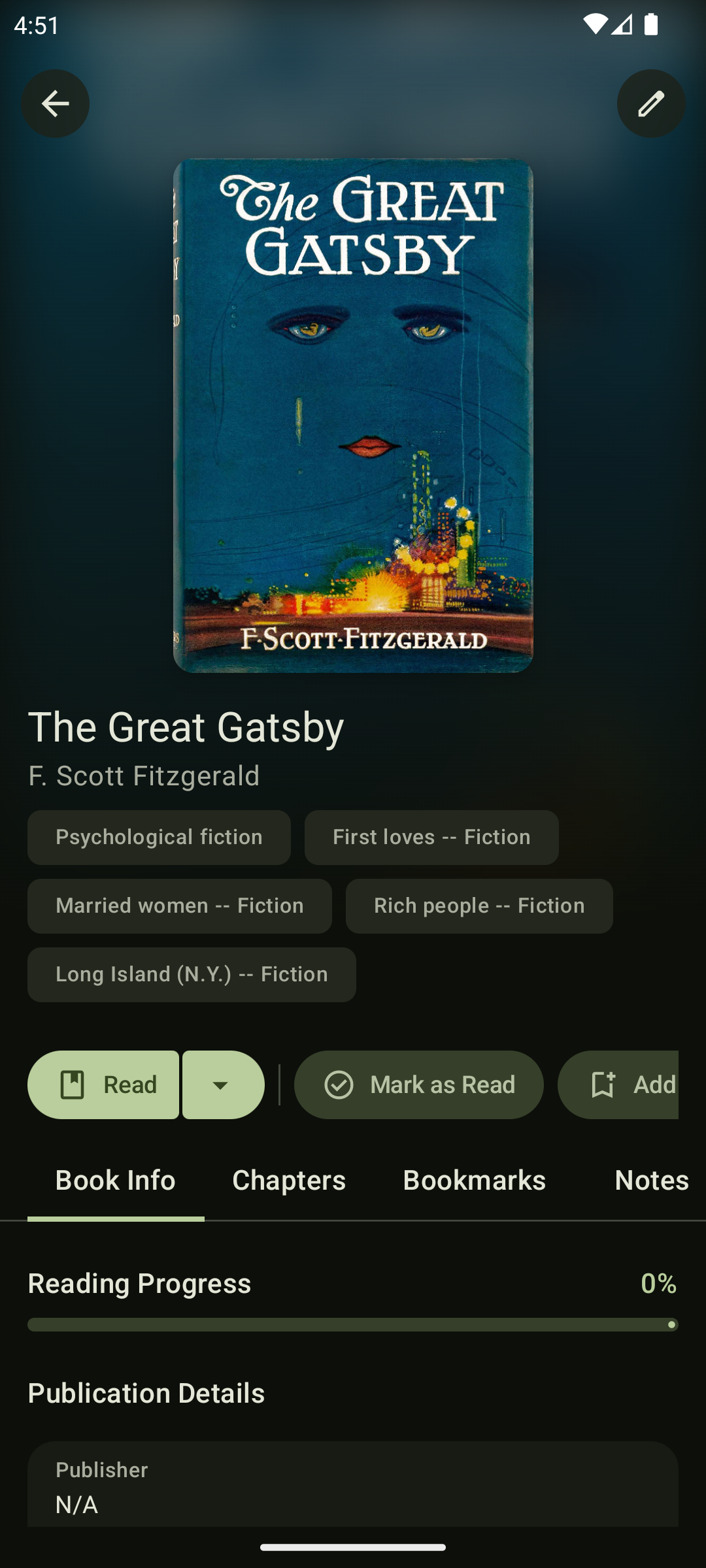
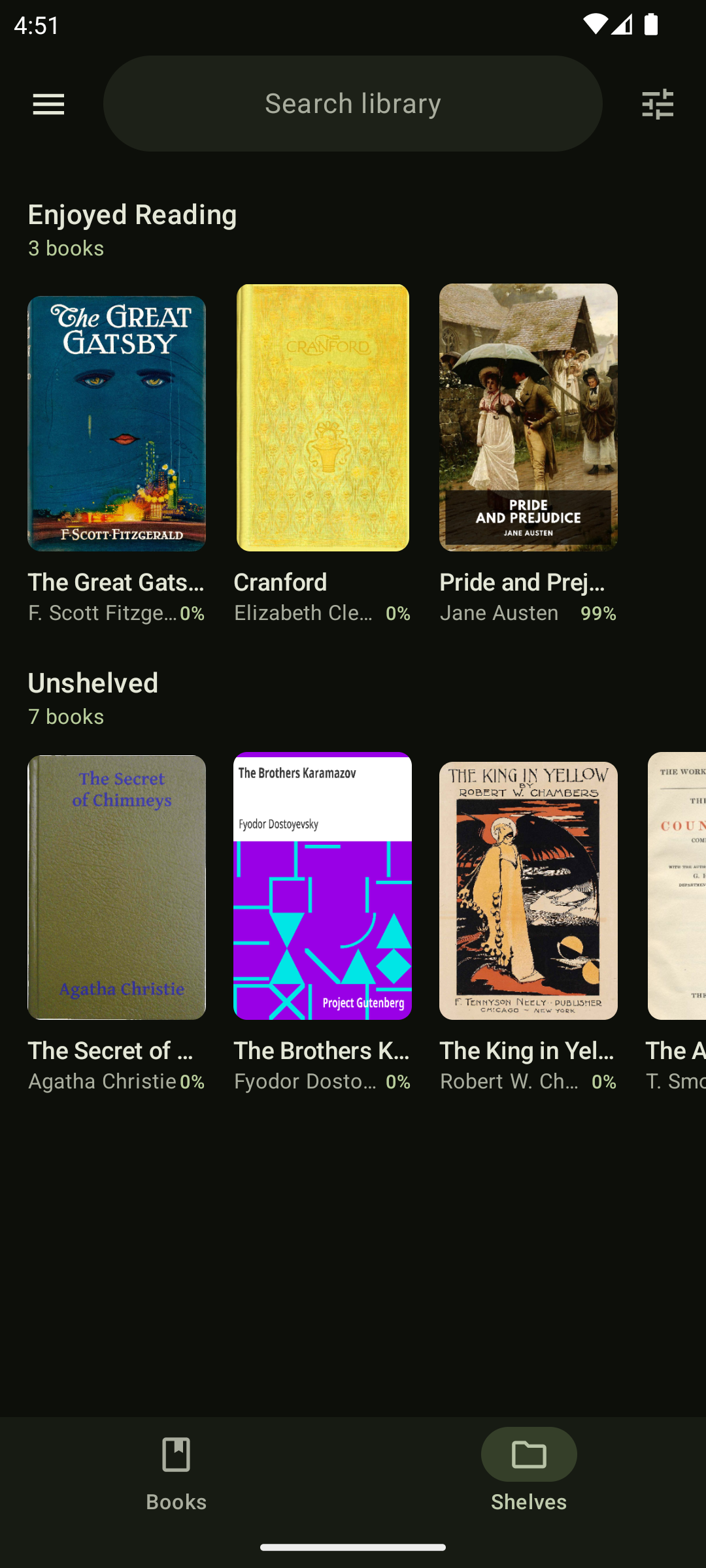
A complete library management system. Use powerful custom filters, organize your books into shelves, or move finished books to the archive.
Select multiple books at once to quickly add them to shelves, mark them as read, or delete them in batches.
Keep track of your favorite quotes and thoughts by adding highlights and notes directly to your books.
Look up definitions and translate text without ever leaving the reader.
Quickly search for phrases and navigate smoothly through search results within the book.
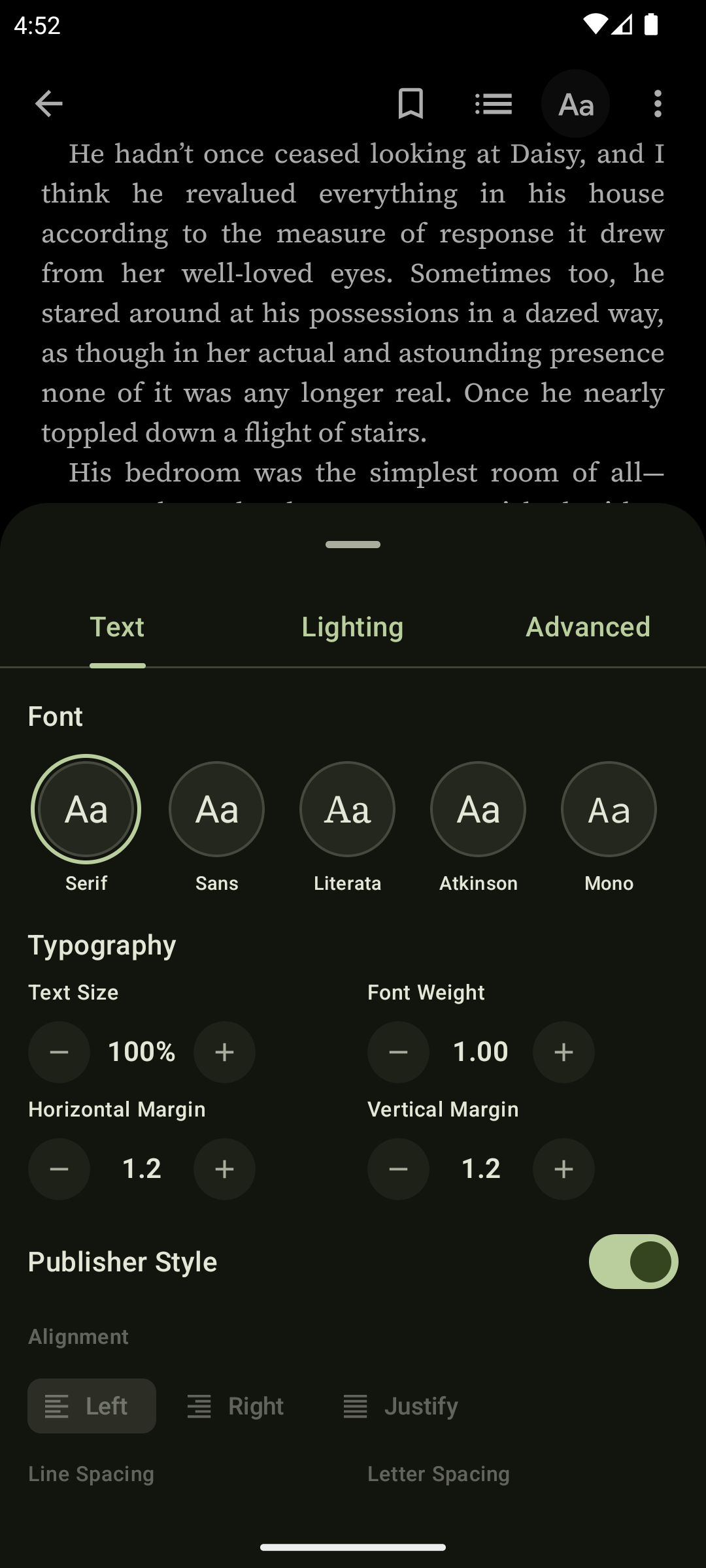
Enhance readability by choosing from a curated selection of beautiful fonts like Atkinson Hyperlegible, Literata, Source Code Pro, Source Sans 3, and Source Serif 4.
Tailor the reading layout to your liking with adjustable font sizes, themes, and reading modes.
Secure your library data, settings, and reading progress with local manual and automatic backups.

Dev Diary
Pinecone is an Android EPUB reader I built because I couldn't find one that felt right. I wanted something that combined a genuinely modern interface with a reading experience that respected the actual EPUB standard — no compromises on either side. I ended up pairing Google's newest Material 3 Expressive design language with the Readium rendering engine, and over a five-week sprint from May 29 to July 4, 2026, that idea became Pinecone.
This is the story of building it: what it does, how it's built, and the parts of the process that didn't go the way I expected.
Why I Built Another EPUB Reader
Honestly, this started out of frustration. Every reader I tried on the Play Store had something that quietly ruined the experience for me:
ReadEra is reliable, but the interface feels dated, customization is thin, and the page transitions never felt natural.
Moon+ Reader is a classic for a reason, but the controls fight you. Swiping from the middle of the screen would just as often open the options menu as turn the page. It has an enormous amount of settings, and somehow never the specific one I actually wanted.
Google Play Booksgets close, but it's a storefront that happens to also read books, not the other way around. You can't even adjust vertical margins, which turns long reading sessions into staring at towering, exhausting walls of text.
Cantook was my favorite for years, and it still does the job. But the UI shows its age, the library view gets cluttered fast, and the in-book search never let me jump cleanly between results.
At some point, complaining about it stopped being useful, and building my own version started to feel like the more honest response.
The "Vibe Coding" Wake-Up Call
When I first opened Android Studio, I assumed I could mostly prompt my way through this. Sketch out what I wanted, let an AI handle the architecture, and coast to something working without really engaging with Android's internals myself.
That assumption didn't survive contact with the project. You can't hand an AI a rendering engine and expect it to make good architectural calls in a vacuum — not because it isn't capable, but because those calls depend on understanding lifecycle behavior, tradeoffs, and constraints that only become clear once you're actually in the code. I ended up doing the architecture myself, which was the right call, if a slower one than I'd hoped.
Learning What an EPUB Actually Is
My first instinct was to build the whole viewer natively in Jetpack Compose — parse the text, render it myself, keep everything in one clean stack. That instinct came from not understanding what I was actually building.
An EPUB, underneath everything, is a zip file full of HTML, CSS, and images. Rendering that correctly means rendering HTML and CSS correctly, which is a problem browsers have spent decades solving. Trying to rebuild a bespoke version of that in Compose wasn't a shortcut — it was signing up to re-solve a problem that was already solved, badly, from scratch.
So I went looking for a real engine instead, and found Readium Kotlin. It handles the actual parsing of the EPUB standard, renders content through Android's WebView so publisher CSS is respected the way it's supposed to be, and gives you the hooks to build customization on top of it rather than fighting it. Partway through integrating it, I noticed that Cantook — the reader I'd used for years — is also built on Readium. That was a small, reassuring moment. It meant the direction I'd landed on wasn't a fluke.
Building on Material 3 Expressive Before It Was Ready
If Readium solved the reading engine, the interface was its own separate challenge. I wanted Pinecone to feel current, so I built it on Material 3 Expressive — Google's newest evolution of Material Design, with its emphasis on emotional design, morphing shapes, and more physical-feeling motion. What wasn't as visible in Google's marketing was that the developer tooling behind it was still very much in progress.
The Jetpack Compose libraries for Expressive were in alpha while I was building. The design documentation on m3.material.io was genuinely well done, but turning that documentation into working code often meant digging through alpha source to figure out whether a component existed yet, or whether I'd need to build it myself. A fair amount of my time went into figuring out which components were the new canonical Expressive versions and which were still the older standard M3 ones underneath.
It was slower than I expected. But it also meant Pinecone was built directly against where Material Design is heading, not a safer, older version of it.
Where It Landed
The alpha-stage friction and the early architectural missteps were part of the process, not a detour from it. What came out the other side is an app that holds up to Material 3 Expressive properly — genuinely fluid animation, predictive back gestures that feel intentional, and a reading experience I actually reach for. It's the reader I was looking for when I started this.
Special Thanks
A real thank you to the Readium Kotlin team on Discord — their patience answering my questions saved me a lot of time I would have otherwise spent stuck. Projects like this only work because of communities like that one.